
The short answer
A missing photo may still be on the phone or in another library view. Start with the app and account your parent used, then check hidden views, Archive, photo stacks and local folders. On iPhone, also look for Recovered if it appears. If a photo was deleted, check that app's Recently Deleted, Trash or Recycle bin promptly. Do not reset the phone, empty a bin or install recovery software while you are still locating the original.
In this guide 8 sections
What to keep in mind
- 1Search the app and account that originally held the picture before treating it as deleted.
- 2Apple Photos, Google Photos and Samsung Gallery have different recovery locations; check each app actually used.
- 3Current Apple Photos, Google Photos and Samsung Gallery guidance describes a 30-day recently deleted or trash window, subject to the item still being there.
- 4A cloud sync or backup setting is not proof that a specific photo was saved; verify that item before changing or replacing the phone.
01
Begin with the picture, not the recovery button#
Ask your parent which picture they mean and where they last saw it: in Apple's Photos app, Google Photos, Samsung Gallery, a message, or another app. A photo visible only in a message or an app's folder may never have been backed up to the main photo library. With permission, note the approximate date, person or place, and the phone or account used at the time.
Avoid deleting more images to make space, emptying any trash, signing out of an account, or resetting the phone while you investigate. These actions can remove the most straightforward recovery options. Have your parent keep control of the device and any account sign-in.
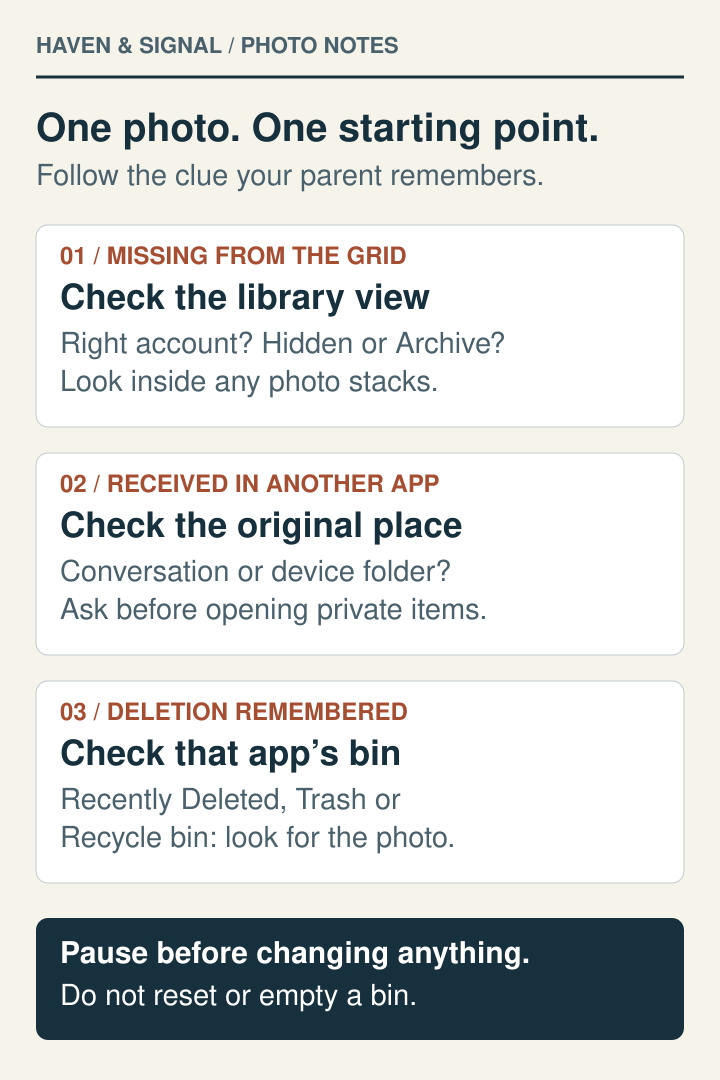
Which situation matches your parent?
- It disappeared from the main grid. Check the current account, search, Hidden or Archive, and any grouped or filtered views.
- It came through a message or another app. Look in the original conversation with permission, then check the app's local photo folder.
- Someone remembers deleting it. Go straight to that app's Recently Deleted, Trash or Recycle bin. Look for the actual item before assuming it can be restored.
Pick one specific photo to trace. Write down where you found it, rather than changing several settings at once.
02
Check search, account and library views first#
In the photo app, search for a place, person, object or date, and look around nearby dates. Google notes that an incorrect device timestamp can put an image under an unexpected date. A picture that seems gone may simply be outside the current view.
If your parent uses Google Photos, tap the profile picture or initial and confirm which Google Account is selected. Google's missing-photos guidance specifically warns that using a different account can make pictures appear to disappear. On iPhone, check the Apple Account under Settings and whether iCloud Photos is enabled for that account. Do not switch accounts or turn sync on merely to search; first record the current state.
For a picture recently backed up to Google Photos on Android, open Search and enter Recently Added. This can help when an old timestamp puts a new arrival far back in the timeline. Search covers backed-up photos; use On this device to check local-only files. If the picture is not in the search results, continue with device folders and the original app; absence from search does not prove deletion.

04
In Google Photos, check Archive and device folders#
In Google Photos, check Archive for an image removed from the main grid without being deleted. On Android, use Collections, then On this device, to inspect local folders from messaging apps, downloads and other sources. Google says these folders can contain images that are absent from the cloud account.
Open the profile menu, then Photos settings and Backup to inspect the selected backup account and device-folder settings. A setting that is on now does not prove that an older image finished uploading. If the phone still holds the only copy, preserve it before changing backup or storage settings.
Look inside stacks and filtered views
- A stack can show just one cover picture. In Google Photos on Android, open the stack and swipe through the filmstrip along the bottom. Photo stacks group backed-up images; you do not need to delete or unstack them to look inside.
- Content from another app may be hidden from the grid. Controls such as Hide clutter or Hide all can keep those pictures out of Photos view. Check Collections, then On this device, and inspect the relevant folder. Review Show content from other apps and any per-app choices if needed.
Finding an image in a local folder answers where it is now. It does not establish that the cloud account holds a copy.
05
Recover from Apple Photos Recently Deleted#
If the picture really was deleted in Apple's Photos app, open Photos, swipe up and choose Recently Deleted under Utilities. Tap View Album and let your parent unlock it. Select the item, tap Recover and confirm. Apple says items remain there for 30 days before permanent deletion, unless removed earlier.
If the item is absent, check Recently Deleted at iCloud.com under the same Apple Account, with your parent present. Apple says deleting with iCloud Photos enabled affects the other signed-in devices as well; another synced iPhone is not automatically a separate backup.
06
Recover from Google Photos Trash or Samsung Gallery Recycle bin#
In the current Google Photos app on Android, open Collections, then Trash. Touch and hold the item and tap Restore. Google currently says its trash retains photos and videos for 30 days; only items still in Trash can be restored. Older instructions showing Library or a 60-day period may not match the current app or policy.
If the parent uses Samsung Gallery instead, open Gallery, then Menu, Recycle bin, Edit, select the image and Restore. Samsung says Gallery's Recycle bin keeps deleted images for 30 days and must have been enabled before deletion. This is a separate location from Google Photos Trash. Screens and availability vary by device and software.
07
If none of those places holds the image#
Check an existing computer import, external drive, shared family album, message attachment, or an independently verified backup that your parent already uses. Ask before looking through private messages or accounts. A copy in a shared album or chat may be smaller than the original, but it can still preserve the memory.
Do not promise that a commercial recovery app can retrieve a permanently deleted cloud item. Google explicitly says permanently deleted Google Photos content cannot be restored, and Google Takeout exports existing data rather than retrieving deleted files. If the image is irreplaceable, ask the device or service's official support what options remain before installing unfamiliar software.
08
Make the next loss easier to diagnose#
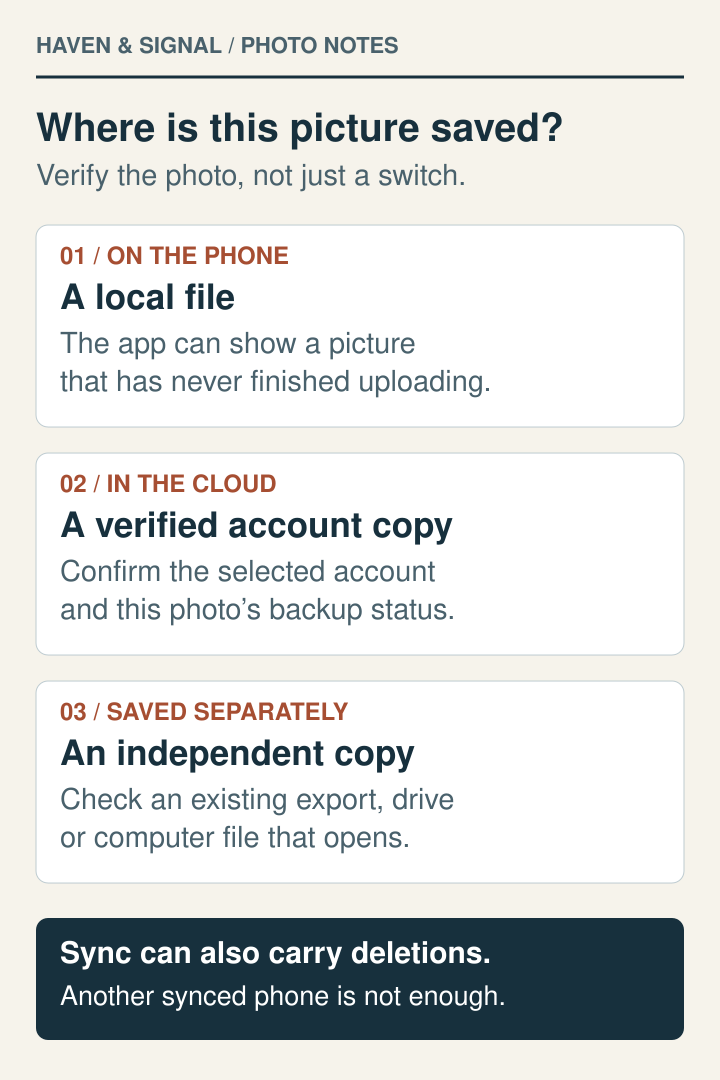
After finding the picture or exhausting the safe checks, record the app, account, backup destination and one way your parent can check backup completion. Choose a single meaningful sample photo and confirm it appears in the expected cloud account or independent copy. Do not assume that seeing a backup switch is enough.
Keep the plan in your parent's words: 'First find the right app and account. Then check Hidden or Archive. Then check Recently Deleted or Trash.' This order prevents a missing-view problem from turning into an unnecessary reset or purchase.
To check a specific photo in Google Photos on Android, open it, select More, then About, and read Details for its backup status. The account's overall Backup complete message and a photo's individual status answer different questions. Google Photos can display local files even when those files have not been backed up to the selected account.
A short record to keep beside the phone
Use these prompts in a note of your own. Keep account details private; you do not need to send them to us.
- The picture: approximate date, subject and where your parent last saw it.
- The starting point: phone, photo app and selected account.
- Places checked: search, hidden views, stacks, local folders and the appropriate deleted-items area.
- The result: found locally, found in the cloud, restored from a bin, or still missing.
- The next check: verify one saved copy, or note the exact problem before contacting official support.
When helping from another place, use the remote help guide to agree on what your parent wants you to see. Before retiring a phone, complete the phone replacement checklist together.
Before replacing or resetting a phone
Keep the photos and account access in view
Use the replacement checklist to record what has actually transferred before retiring the old phone.
Open the phone replacement checklistSources and further reading
We favor primary public-health guidance and official product documentation. Section links identify context for documented facts, not validation of our own family-planning steps, schedules or examples. Sources do not imply endorsement of Haven & Signal.
Apple: Recover deleted photosRecently Deleted steps and 30-day limit. Checked September 23, 2026.↗Apple: Find missing photosHidden, Shared Library, iCloud Photos and Apple Account checks. Checked September 23, 2026.↗Google Photos: Restore recently deleted photosCurrent Android Trash path and 30-day retention. Checked September 23, 2026.↗Google Photos: Find lost photosAccount, backup, device folders, Archive and Takeout limits. Checked September 23, 2026.↗Samsung: Recover deleted photosSamsung Gallery Recycle bin steps and 30-day window; the page also carries older Google Photos instructions, so current Google guidance is cited separately. Checked September 23, 2026.↗Google Photos: Delete photos and videosDeletion across backed-up devices and limits of permanent recovery. Checked September 23, 2026.↗Apple: About the Recovered album in PhotosFiles present on the device but outside the library; conditional album visibility; Restore to Library; immediate permanent deletion. Checked October 17, 2026.↗Google Photos: Find lost photos on AndroidRecently Added, local folders, Archive and missing-view checks on Android. Checked October 17, 2026.↗Google Photos: Organize your Photos viewPhoto stacks, the filmstrip and controls that hide content from other apps on Android. Checked October 17, 2026.↗Google Photos: Back up photos and videosAccount-level backup status, individual photo Details and the distinction between local files and backed-up items. Checked October 17, 2026.↗About this guide
Sources, scope and updates.
- Research
- Haven & Signal Research Desk
- Sources checked
- September 23, 2026
- First published
- September 23, 2026
- Materially updated
- October 17, 2026
This guide draws on the linked sources and practical editorial guidance. It does not report hands-on product testing, independent fact-checking, and an expert assessment. Check current instructions with the relevant provider before acting.
This guide contains no affiliate links or paid placements.