
The short answer
A frame sent abroad needs a workable purchase and support plan as well as a welcoming first set of photos. Start with the destination country, arrange someone who can help with Wi-Fi, and decide who can contribute, change settings, and handle a return.
In this guide 11 sections
What to keep in mind
- 1Check the destination country's storefront and the actual delivery address; a regional store listing is not worldwide shipping.
- 2Arrange initial Wi-Fi setup and a local helper for network changes, even when photos and some settings can be managed remotely.
- 3Check which photo functions are included and which remote management features require a subscription.
- 4Agree contributor access with your parent, and save the receipt, seller details, and support plan before gifting.
01
Start with how your parent wants to use it#
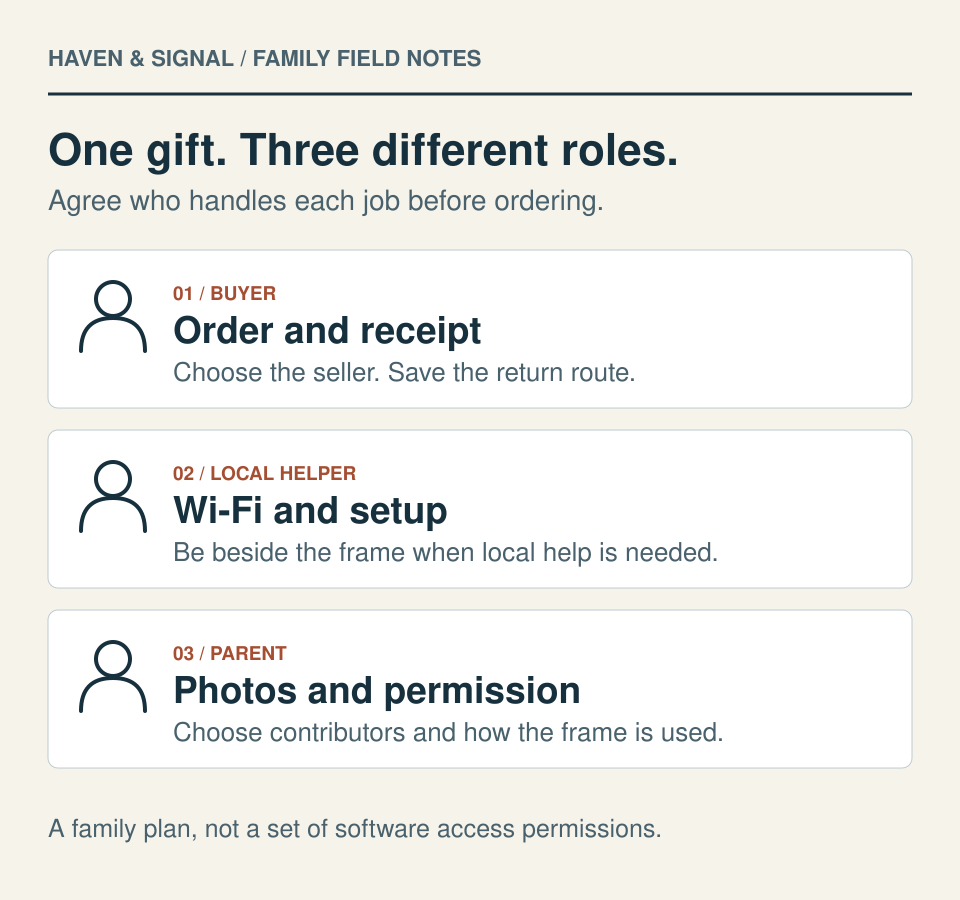
Before choosing a model, ask where your parent would put a frame and whether they would enjoy photos arriving there. A living-room shelf, bedside table, and shared household each suggest different preferences for brightness, sound, and what appears on screen. Let your parent choose those preferences rather than treating setup as something the family decides for them.
Write down the small job you want the gift to do: show a few new family photos each week, with someone available to help if it stops receiving them. That makes the purchase easier to judge. Screen specifications matter, but so do a suitable socket, usable Wi-Fi, and a return process that works from the home where the frame will live.
02
Choose the destination storefront before the model#
Start shopping in your parent's country. Skylight's International Orders FAQ names US, Canadian, Australian, and UK websites and recommends buying through the website for the country where the device will be used. It says those purchases include a plug and adapter suited to that market. The FAQ also notes that sizes and colours can differ between countries.
Aura's US Shipping Information page makes a different boundary explicit: products sold on its US website are unavailable for international delivery, and it does not ship to freight forwarders. Seeing a brand sold in several countries does not mean one country's store will send a frame to all of them.
Enter the complete destination address before choosing a delivery date. Confirm the seller named on the order, the exact model, and the supplied power adapter. If the country is outside the brand's listed markets, obtain written answers about delivery, operation, and replacement shipping before importing.
Country and seller check
Where to buy, and what still needs an answer
Start with the country where the frame will stay. Then identify the seller, a person who can help beside the frame, and the route for a return. The examples below describe documented routes, not a ranking or a guarantee that every address is eligible.
On a narrow screen, scroll the table sideways. Each row separates a documented route from checks still needed for your order.
| Route to inspect | What the documentation establishes | What your family still needs to confirm |
|---|---|---|
| Aura: nine named markets | Its abroad guide lists domestic shipping through local Aura or Amazon Aura stores in the US, Canada, Mexico, UK, Germany, France, Belgium, Netherlands and Luxembourg. | Confirm the exact address, model and seller. Aura’s US website does not ship internationally. Aura’s US return policy limits prepaid labels to returns originating in the purchase country.Using Aura frames abroadShipping InformationAura's Return Policy (US locale) |
| Aura: Switzerland or Austria | The same guide points to selected retailers, which handle their sales’ warranty claims, returns and refunds. | Record the actual retailer and its return instructions. Do not assume an Aura direct-store return route applies.Using Aura frames abroad |
| Skylight: US, Canada, Australia or UK | The international FAQ recommends the destination-country website and says purchases include that market’s plug and adapter. Model choices may differ. | Check the local seller’s terms. The cited US return policy’s three-year replacement promise is explicitly for US customers buying on its website; it is not a worldwide promise.Skylight International Orders FAQRefund and Return Policy |
| A frame running Frameo | Frameo says phone and frame can exchange photos across countries when both have internet. Frameo supplies the software, not the hardware. | Identify the frame’s actual brand, model and seller. Delivery, physical setup, returns and replacement service are separate hardware questions.Can I Send Photos Internationally?How to Return or Replace a Frame |
| Dragon Touch VPhoto example | The documented app flow allows remote photo contributions. The version 2.6.2 update introduces account sign-in and re-linking after upgrade. | Confirm delivery, a local helper for pairing, and warranty eligibility for a gift. The limited warranty contains purchase-country and transfer restrictions.How to Connect Phone to a Vphoto Frame?VPhoto APP Version 2.6.2 UpdateWarranty Policy |
| Another destination or an imported frame | These sources do not establish every country, model, app-store region or support route. A listing in one country is insufficient. | Ask the seller to confirm delivery, local operation, setup, return origin and replacement destination in writing before ordering. |
Operation is a separate check: Aura’s abroad guidance says frames outside the US, Canada, Mexico, UK and EU are not explicitly certified, and app or internet restrictions can prevent use. Frameo’s international photo-sharing guidance describes transmission; it does not establish the warranty of a particular frame. Confirm the exact model and destination rather than assuming all internet-connected frames work the same way.
Keep the seller’s name, its written answers and the purchase-country policy with the receipt. A return window, a prepaid label and a replacement sent abroad are three different promises.
03
A US-store example: Dragon Touch’s 10.1-inch frame#
For a parent receiving a frame in the US, one option to inspect is Dragon Touch’s 10.1-inch WiFi Touch Screen Digital Picture Frame 32GB, Wood Brown+32GB. Its US listing says relatives can send photos and videos through VPhoto for iOS or Android, with free app access and multiple contributors. We have not tested it or assessed how easy its controls are for an older adult.
Arrange a helper at the frame to connect home Wi-Fi and obtain its pairing code. Dragon Touch’s VPhoto version 2.6.2 instructions, updated October 14, 2026, introduce a registered, signed-in account and require linking the frame again after that upgrade. Follow the instructions for the app version actually installed.
For that update, obtain the frame’s nine-digit code or QR code from Settings > My Frame, then use Add Frame or Bind Device in the signed-in app. The code is valid for 12 hours. Arrange the helper’s visit and the sender’s sign-in together; an earlier pairing is not a promise that no future app change will require local help.
Share pairing details only with people your parent chooses. The storefront privacy policy covers website information; it does not establish the photo service’s encryption or retention.
Check the delivered price and destination before ordering. On September 19, 2026, the US listing showed $59.99, with $15 standard shipping below $99 under the published shipping policy. Confirm tax and the final total at checkout. For use in another country, confirm delivery and support first: Dragon Touch’s support policy restricts its limited warranty to the purchase country.
Haven & Signal is enrolled in Dragon Touch’s affiliate programme; the source links below are ordinary, non-affiliate links. Programme membership does not resolve the storefront’s conflicting screen-resolution claims or establish a tested recommendation.
04
Separate an order confirmation from a delivered gift#
Keep the order email yourself and give the receiving person the delivery information they need. Ask whether tracking covers the whole journey, who handles a missing parcel, and whether import charges are included. A market selector or checkout currency cannot answer those questions.
Aura's US Shipping Information page says a tracking link is sent when an order is ready to ship, but tracking becomes traceable after the carrier scans it. Treat a label notification as one stage of the journey. Schedule setup around confirmed delivery, and leave time for the recipient to check that the frame, stand, cable, and adapter arrived intact.
05
Arrange the Wi-Fi connection in the actual home#
Find out the network name and who can enter its password at your parent's home. Check reception where the frame will stand. If the home uses shared building Wi-Fi or a browser sign-in page, describe that arrangement to the manufacturer before buying; ordinary home-network instructions may not answer whether it will work.
Aura's Technical Requirements page calls for a compatible phone or tablet to be present during setup, with Wi-Fi and Bluetooth enabled. It describes 2.4 GHz Wi-Fi requirements and identifies particular models that also support 5 GHz. Check the exact model rather than assuming all frames from one brand use the same connection.
Choose a local helper with your parent's agreement and arrange a time when you can both be available. Have the helper confirm that the required app can be installed on their phone before the setup visit.
06
Distinguish remote help from local setup#
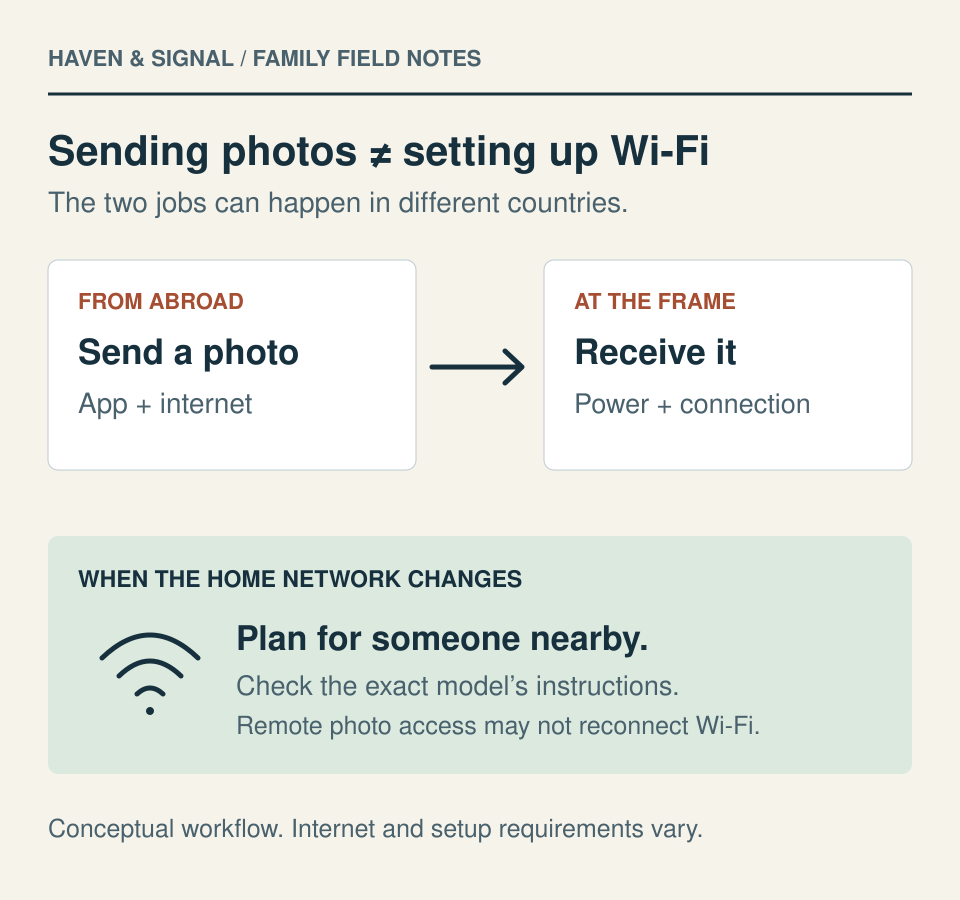
Preparing photos in advance is useful, but it is a separate task from joining the destination home's network. Plan who will handle activation, any gift code, and the first connection. Use the manufacturer's gift instructions for the purchased model, particularly if you are sending it directly from a local store.
Aura's Access Rights for Frame Members guidance says contributors can change frame settings remotely, while Wi-Fi settings can only be changed on site. This is the practical limit to record: someone abroad may be able to adjust the slideshow, but a changed router or Wi-Fi password can still require help beside the frame. Agree who that person will be and how your parent can reach them.
07
Check the included functions before adding a subscription#
Make two short lists: the photo functions your parent wants, and the management functions you need to support them. Aura's Common Questions guide says its core photo and video sharing, storage, app access, and family contributions do not require a subscription.
Skylight's Frame Plus product page lists sending photos by email or mobile app under its free Basic offering. Its separate Frame Plus Features support page places videos, captions, albums, remote settings, and other extras in the paid subscription. For a family abroad, remote settings may be the feature that matters more than an extra media format.
Check the current plan for the specific product and purchase market. If you choose a subscription, record whose account owns it, who pays, and when it renews. Ask what remains usable after cancellation before relying on paid features for everyday support.
08
Agree who can contribute and what access means#
Start with a small circle your parent has chosen. Ask whether they want every invited relative to send directly, or prefer one person to collect and select photos. These are family choices; the software may not offer separate roles matching every preference.
Aura's Access Rights for Frame Members page says invited contributors using its app can see all uploaded frame photos and videos, change settings, and invite others. They cannot see each other's personal photo libraries. The same page explains that deleting content removes it from the frame, app, and server, and removing a member also removes that person's contributions.
Explain access before sending invitations. Agree who may invite more people, avoid uploading private documents or images someone has asked not to share, and remember that visitors can see a living-room display. Keep original photos separately. Your parent should know how to request a removal, pause the display, or change their mind about contributors.
09
Run a small test from both countries#
Begin with a handful of familiar photos. Once the frame is connected at its destination, send a fresh picture from your own home and ask the recipient or helper to confirm that it appears. Then invite one additional contributor and repeat the test. This checks the real family workflow before everyone starts uploading.
Set the display timing, brightness, and any sound together. Try the ordinary actions your parent wants to use, such as moving to another photo or turning the display off, using that model's instructions. Confirm that the result is comfortable from their usual chair and that they know whom to contact if new photos stop appearing.
10
Hand over the return and support plan#
Save the receipt, order number, seller's name, model, serial number, and applicable return policy in one place. Record the return deadline and where a parcel would have to go. Ask whether a return label and replacement shipment can be used from your parent's country.
Aura's Warranty Policy reserves the right to limit its warranty coverage to the original purchase country, while expressly stating that territorial restrictions do not limit applicable EU consumer rights. Ask support how a claim and replacement shipment would work for the actual seller and destination before carrying a frame abroad. A power adapter that fits does not settle the service arrangements.
For a frame running Frameo, its How to Return or Replace a Frame guidance makes another distinction: Frameo supplies software and does not manufacture or sell the hardware. Returns and replacements go through the seller or relevant hardware brand. Give the local helper the purchase details so your parent does not have to discover that distinction during a fault.
11
A checklist before you place the order#
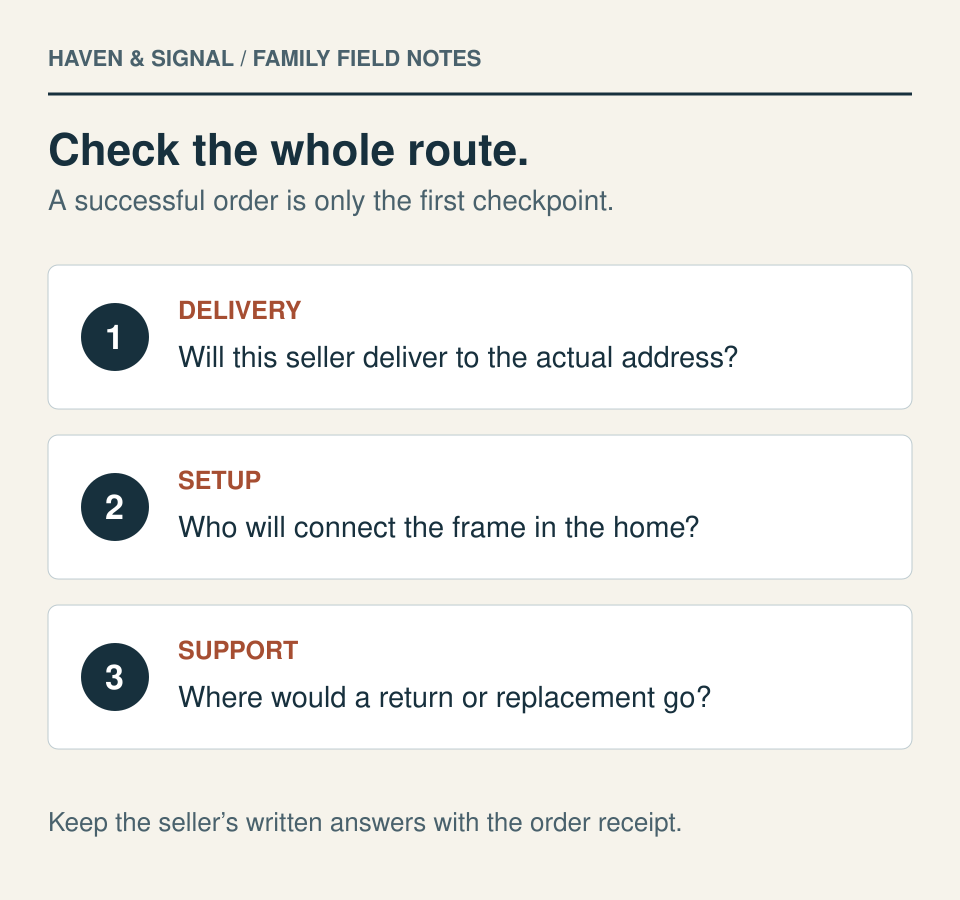
Keep this with the order details, then finish the setup items once the parcel arrives.
- Parent agrees on the frame, its location, and the first contributors.
- Destination address is accepted by the chosen seller; model and supplied plug are confirmed.
- Delivery tracking, possible import charges, and the missing-parcel contact are understood.
- Home Wi-Fi and the exact model's network requirements have been checked.
- A local helper can complete setup and help after a router or password change.
- Included photo functions and any paid management features are recorded.
- Family members understand viewing, editing, invitation, and removal permissions.
- Receipt, return deadline, dispatch address, and support contacts are saved.
- A new photo sent from abroad appears on the frame after setup.
Keep everyday contact clear
Plan the local help and backup contact.
Record the nearby helper, support responsibilities and ordinary way to stay in touch. Photo delivery is not a wellness check.Private family worksheet
Agree who can help and what stays private.
Record the people, access boundaries and review date before setting up shared technology.
Create a family privacy agreementSources and further reading
We favor primary public-health guidance and official product documentation. Section links identify context for documented facts, not validation of our own family-planning steps, schedules or examples. Sources do not imply endorsement of Haven & Signal.
Dragon Touch: 10.1-inch WiFi frame, 32GB, Wood BrownUS-store example checked September 19, 2026. Selected Wood Brown+32GB, SKU XKS0019-NS-US, listed $59.99 and free VPhoto access. Conflicting resolution claims were excluded; do not assume this listing is the Classic 10 model.↗Dragon Touch: connect a phone to a VPhoto frameOlder pairing instructions rechecked October 17, 2026 alongside the newer version2.6.2 update. Code expiry differs from removing an already connected contributor; an app upgrade may still require account sign-in and new linking.↗Dragon Touch: connect the frame to Wi-FiChecked September 19, 2026. Describes selecting the home's network from the frame's Wi-Fi menu. Confirm the exact model's network requirements before setup.↗Dragon Touch: US shipping policyChecked September 19, 2026. Standard shipping is listed at $15 below $99. Confirm destination acceptance, taxes and current delivered total before ordering.↗Dragon Touch: limited warranty policyChecked October 17, 2026. Limited-warranty text restricts coverage by purchase country and includes transfer limits. Obtain written clarification of gifted-product eligibility and overseas service; this is not a determination of statutory rights.↗Dragon Touch: storefront privacy policyChecked September 19, 2026. Storefront information does not establish VPhoto photo-service encryption, storage location, retention or deletion guarantees.↗Skylight: International Orders FAQChecked October 17, 2026. Names US, Canada, Australia and UK storefronts and recommends the destination-country site with its local adapter. Other-country Amazon availability depends on the actual address.↗Aura: US Shipping InformationChecked October 17, 2026. Aura’s US website does not offer international delivery or ship to freight forwarders. These are US-store shipping limits, not a claim that Aura is unavailable in other countries.↗Aura: Technical RequirementsChecked 9 September 2026. Requires a compatible phone/tablet present for setup with Wi-Fi and Bluetooth enabled; lists 2.4 GHz requirements with Walden and Aspen exceptions supporting 5 GHz. Check the purchased model's current instructions.↗Aura: Access Rights for Frame MembersChecked 9 September 2026. Documents contributor permissions, on-site Wi-Fi changes, and the consequences of deleting content or removing members.↗Aura: Common Questions Before and After OrderingUsed for its statement that core photo storage, sharing, app access and family contributions need no subscription. Reviewed September 9, 2026.↗Skylight: Frame Plus subscriptionBasic photo sending by email and mobile app; the separate support guide identifies the paid Frame Plus functions. Reviewed September 9, 2026.↗Skylight: Frame Plus FeaturesIdentifies videos, captions, albums and remote settings as Frame Plus functions. Confirm current terms for the exact product and market. Reviewed September 9, 2026.↗Aura: US Warranty PolicyReviewed September 9, 2026. Policy updated July 29, 2026: purchase-country warranty limitation and express preservation of applicable EU consumer rights. Confirm the practical claim and replacement-shipping route with the seller.↗Frameo: How to Return or Replace a FrameChecked October 17, 2026. Frameo supplies software, not the frame hardware. The original seller or hardware brand handles returns and replacements.↗Aura: Using Aura frames abroadChecked October 17, 2026. Lists nine domestic-store markets and selected retailer routes for Austria and Switzerland; operation, certification, delivery and after-sales coverage have separate limits.↗Aura: Aura's Return Policy (US locale)Checked October 17, 2026. US-locale policy distinguishes direct, Amazon and other-retailer purchases. Prepaid labels are for returns originating in the purchase country; ask about another origin. Do not globalize this policy.↗Skylight: Refund and Return PolicyChecked October 17, 2026. US webstore policy distinguishes refunds from fault replacements; the three-year replacement language is expressly US-customer scoped. Confirm destination-market terms and cross-border postage.↗Frameo software ecosystem: Can I Send Photos Internationally?Checked October 17, 2026. Describes sending photos across countries when phone and frame have internet. It does not establish delivery, warranty or returns for the hardware.↗Dragon Touch VPhoto example: VPhoto APP Version 2.6.2 UpdateChecked October 17, 2026. Official version2.6.2 instructions updated October14 introduce registered account sign-in and frame re-linking after upgrade. A fresh on-frame code lasts12hours. This is a version-specific workflow, not a security audit.↗About this guide
Sources, scope and updates.
- Research
- Haven & Signal Research Desk
- Sources checked
- September 9, 2026
- First published
- September 9, 2026
- Materially updated
- October 17, 2026
This guide draws on the linked sources and practical editorial guidance. It does not report hands-on product testing, independent fact-checking, and an expert assessment. Check current instructions with the relevant provider before acting.
This guide contains a clearly marked affiliate link. We may earn a commission on a qualifying purchase. Programme membership does not determine our conclusions. Source citations remain ordinary, non-affiliate links. There are no paid placements.